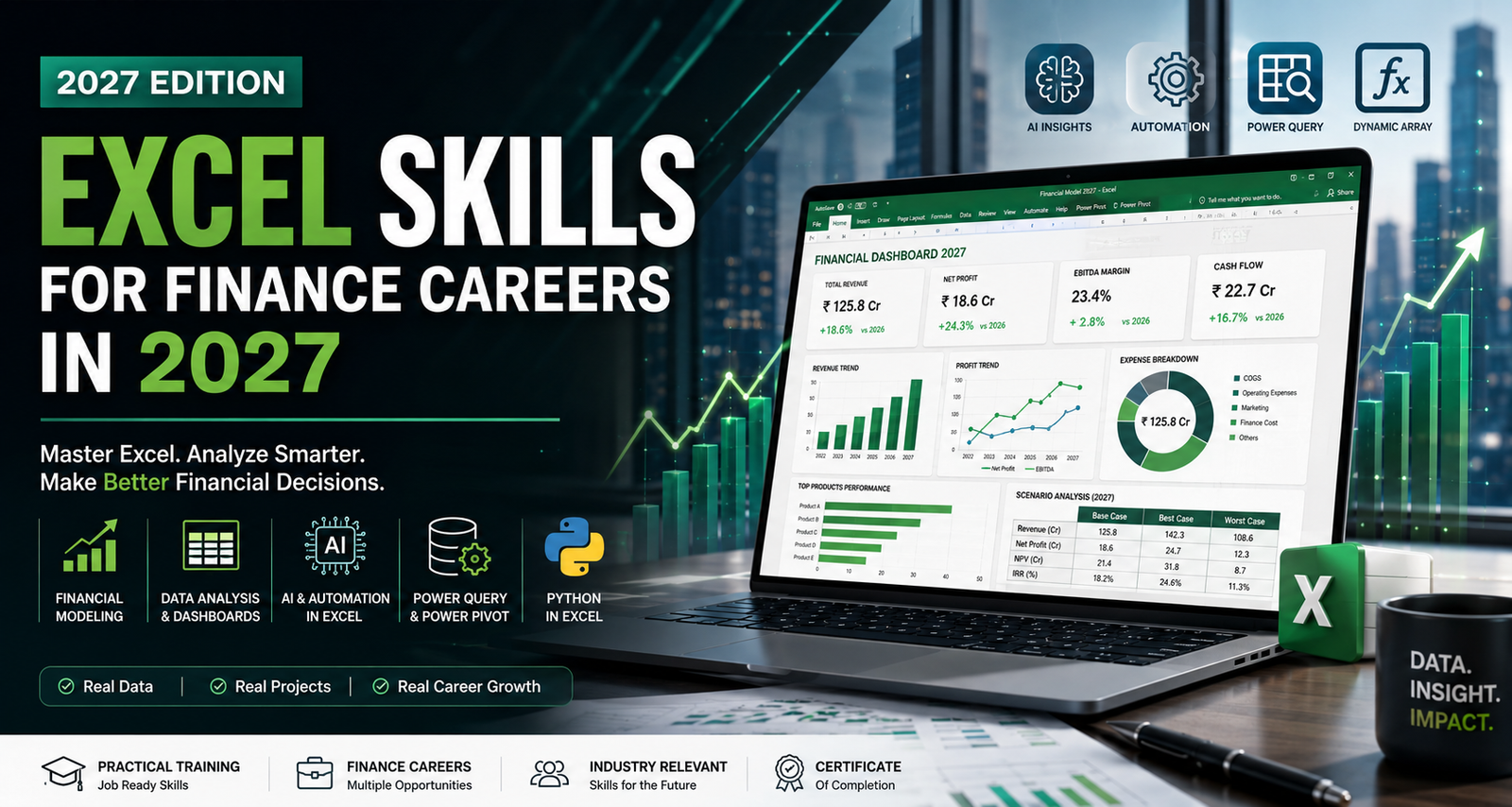
📊 Why Excel Is Still Important for Finance in 2027
Finance has changed dramatically with the rise of AI, automation, cloud platforms, and specialized financial software.
Yet Excel continues to play an important role because it allows professionals to calculate, analyze, model, visualize, and communicate financial information in one place.
Excel is used across areas such as:
- Financial analysis
- Budgeting and forecasting
- Financial modeling
- Valuation
- Management reporting
- Investment analysis
- Scenario analysis
- Business planning
- Data analysis
- MIS reporting
Modern versions of Excel also provide advanced capabilities such as XLOOKUP, dynamic arrays, Power Query, and other data-analysis functions.
💡 Why Finance Professionals Use Excel
1. Flexibility
Excel can be adapted for everything from simple calculations to complex financial models.
2. Financial Modeling
Analysts can build forecasts, valuation models, budgets, and investment scenarios.
3. Data Analysis
Large datasets can be cleaned, summarized, filtered, and analyzed efficiently.
4. Reporting & Visualization
Charts, dashboards, PivotTables, and interactive reports make financial information easier to understand.
5. Integration
Excel can work with external data and tools such as Power Query and Python in Excel.
6. Accessibility
Excel is widely used across finance teams, businesses, consulting firms, accounting firms, and investment organizations.
⚙️ Top Excel Skills Every Finance Professional Should Learn in 2027
If you’re serious about building a career in finance, don’t stop at basic Excel.
Focus on skills that help you analyze financial data, build models, automate repetitive work, and communicate insights.
1. 📗 Excel Formulas & Financial Functions
Formulas are the foundation of Excel for finance.
You should understand not only how to use formulas, but when and why to use them.
Important Excel Functions for Finance:
SUM,SUMIF,SUMIFSCOUNTIF,COUNTIFSAVERAGEIF,AVERAGEIFSIF,IFS,AND,ORXLOOKUPINDEX&MATCHXMATCHFILTERSORTUNIQUEIFERRORSUMPRODUCTROUND,ABS,MOD
Modern Excel also supports dynamic-array functions that allow formulas to return multiple results automatically.
Financial Functions
Finance professionals should also understand:
NPVXNPVIRRXIRRPVFVPMTRATE
These functions can be useful for investment analysis, project evaluation, valuation, and financial decision-making.
At FinOptions, the goal should not be simply to memorize formulas — but to understand how they are applied to real financial problems and business cases.
2. 🔎 Data Cleaning & Analysis
Financial analysis is only as reliable as the data behind it.
Before analyzing a dataset, finance professionals often need to:
- Remove duplicates
- Identify missing values
- Standardize data
- Correct formatting issues
- Sort and filter information
- Validate financial data
- Combine datasets
- Create structured tables
Important Excel Tools
Learn how to use:
- Filters
- Conditional Formatting
- Excel Tables
- Data Validation
- PivotTables
- PivotCharts
- Power Query
Power Query is particularly valuable because it can help import, transform, and prepare external data for analysis. Microsoft also supports using Power Query with Python in Excel.
3. 📈 Financial Modeling & Forecasting
Knowing Excel formulas is only the beginning.
The next step is learning how to use Excel to build financial models.
A financial model can help a business or investor understand possible future outcomes based on assumptions.
Examples of Financial Models:
- Revenue forecasting
- Expense forecasting
- Profit & Loss projections
- Balance Sheet projections
- Cash Flow forecasting
- DCF valuation
- Comparable company analysis
- Startup valuation
- Budgeting models
- Scenario analysis
- Project evaluation
- M&A modeling
A good financial model should be:
Accurate → Structured → Flexible → Easy to audit → Easy to understand
This is where Excel + Finance knowledge becomes much more powerful than Excel skills alone.
4. 📊 Dashboards & Financial Visualization
Finance professionals don’t just calculate numbers.
They also need to communicate what those numbers mean.
A well-designed dashboard can help management quickly understand:
- Revenue growth
- Profit margins
- Expenses
- Cash flow
- Sales performance
- KPIs
- Budget vs. actual performance
- Business trends
Excel Dashboard Skills to Learn
- PivotTables
- PivotCharts
- Slicers
- Conditional Formatting
- Interactive charts
- KPI cards
- Dynamic ranges
- Data visualization techniques
The objective isn’t to make a dashboard look complicated.
The objective is to make important financial information easy to understand.
5. ⚡ Power Query & Data Automation
In 2027, finance professionals should think beyond manual copy-paste work.
Power Query can help automate repetitive data preparation tasks such as importing, cleaning, transforming, and combining datasets.
For example, imagine receiving a monthly sales file.
Instead of manually:
Copy → Paste → Clean → Format → Combine → Create Report
you can build a repeatable workflow that refreshes the analysis when new data arrives.
This can make Excel workflows faster, more consistent, and less dependent on repetitive manual work.
6. 🧠 AI & Excel: A New Skill for Finance Professionals
One of the biggest changes in Excel is the increasing role of Artificial Intelligence.
Microsoft’s Excel ecosystem now includes Copilot capabilities that can assist with tasks such as generating formulas, explaining formulas, creating lookups, and analyzing data.
But there’s an important distinction:
AI can assist you. It doesn’t replace financial judgment.
A finance professional still needs to understand:
- What the data means
- Whether the formula is correct
- Whether assumptions are reasonable
- Whether the output makes business sense
- How to interpret financial results
The future skill is therefore not:
Excel OR AI
It is:
Excel + Finance + AI
7. 🐍 Python in Excel: The Next Step in Data Analysis
For professionals working with larger or more complex datasets, Python in Excel provides another layer of analytical capability.
Microsoft describes Python in Excel as a way to process and analyze data using Python directly within Excel, with calculations running in the Microsoft Cloud.
This can be particularly useful for:
- Advanced data analysis
- Statistical analysis
- Pattern identification
- Data visualization
- Working with larger datasets
You don’t necessarily need to become a software developer.
But understanding how Excel, AI, Power Query, and Python can work together can help finance professionals build a more modern analytical toolkit.
8. 🔐 Excel Accuracy, Controls & Best Practices
Advanced Excel isn’t only about speed.
In finance, accuracy matters.
A small formula error can potentially affect an entire analysis or financial model.
That’s why finance professionals should understand:
- Formula auditing
- Error checking
- Data validation
- Cell protection
- Consistent formatting
- Model structure
- Assumption checks
- Version control
- Documentation
A professional financial model should be easy for another person to review and understand.
💼 How Excel Is Used Across Finance Careers
Excel skills are useful across multiple finance roles.
| Finance Role | Common Excel Applications |
|---|---|
| Financial Analyst | Forecasting, reporting, variance analysis |
| Investment Banker | Valuation, financial modeling, transaction analysis |
| Equity Research Analyst | Company analysis, financial projections, valuation |
| Corporate Finance Professional | Budgeting, forecasting, scenario analysis |
| Valuation Analyst | DCF, comparable companies, financial models |
| Management Accountant | Reporting, budgeting, cost analysis |
| Auditor / CA Professional | Reconciliations, data analysis, audit support |
| MIS / Reporting Analyst | Dashboards, reports, data preparation |
| Finance Data Analyst | Data cleaning, analysis, visualization |
The exact Excel requirements vary by role, but the underlying principle remains the same:
You need to know how to use data to answer financial questions.
💰 Does Excel Help With Career Growth?
Excel alone does not guarantee a higher salary or a finance job.
However, practical Excel skills combined with finance knowledge can make your profile more useful for many entry-level and mid-level finance roles.
For example:
Basic Excel
You may be able to handle:
- Data entry
- Basic calculations
- Formatting
- Simple reports
Intermediate Excel
You can move toward:
- Data analysis
- PivotTables
- Reporting
- Dashboards
- Advanced formulas
Advanced Excel + Finance
You can work toward:
- Financial modeling
- Forecasting
- Valuation
- Investment analysis
- Scenario modeling
Excel + Financial Modeling + AI/Data Tools
This combination can help you build a more modern finance skill set.
The goal isn’t to collect Excel certificates.
The goal is to be able to open a financial dataset and confidently answer:
What happened? Why did it happen? What could happen next?
🎓 Why Excel Is Important for Finance Students & Freshers
Many students learn finance primarily through textbooks and theory.
That’s important — but employers also need people who can apply those concepts to real data.
For example:
Knowing what DCF means is different from actually building a DCF model.
Knowing what EBITDA means is different from analyzing EBITDA margins across five years.
Knowing what working capital means is different from forecasting working capital in a financial model.
This is why students pursuing careers in finance can benefit from combining:
Finance Concepts + Excel + Financial Modeling + Practical Projects
🤖 Will AI Replace Excel Skills?
This is one of the biggest questions for finance students in 2027.
The short answer is:
AI is changing how Excel is used — not eliminating the need to understand Excel.
AI can help generate formulas, analyze information, and speed up certain tasks. But finance professionals still need to verify outputs and apply financial judgment. Microsoft’s own documentation also cautions against relying on AI-generated outputs for high-stakes financial reporting and similar decisions.
Think of it this way:
Old approach:
Excel skills = manually doing everything.
Modern approach:
Excel skills = understanding the model, data, formulas, automation, and using AI intelligently.
That’s the skillset finance professionals should build for the future.
🏫 Learn Excel for Finance at FinOptions
FinOptions’ Excel for Finance course is designed for students, graduates, finance aspirants, and professionals who want to develop practical Excel skills for finance.
The focus is not simply on learning Excel buttons and formulas.
The objective is to understand how Excel is actually applied in finance and business situations.
🔍 Course Highlights
- Practical Excel Training
- Finance-focused Excel applications
- Real-world case studies
- Projects & assignments
- Financial analysis
- Dashboards & reporting
- Practical financial data
- Certificate
- Online + Classroom learning options
📚 What You Can Learn at FinOptions
Depending on the course structure, students can develop skills in:
✅ Excel formulas & functions
✅ Financial functions
✅ Data cleaning & analysis
✅ PivotTables & PivotCharts
✅ XLOOKUP & advanced lookup techniques
✅ Financial dashboards
✅ Financial statement analysis
✅ Ratio analysis
✅ Forecasting
✅ Financial modeling fundamentals
✅ Business case studies
✅ Reporting & visualization
✅ Excel productivity & shortcuts
The goal is simple:
Don’t just learn Excel. Learn how finance professionals use Excel.
🚀 Career Opportunities After Learning Excel for Finance
Excel can support your preparation for entry-level roles such as:
- Financial Analyst
- MIS Executive
- Reporting Analyst
- Finance Executive
- Data & Reporting Analyst
- Investment Research Intern
- Junior Financial Analyst
- Accounts & Finance Executive
As your skills grow, you can combine Excel with Financial Modeling, CFA, Investment Banking, Equity Research, or other specialized finance skills.
🔗 Related FinOptions Programs
If you want to go beyond Excel, explore:
- Financial Modeling & Valuation Course
- CFA Level 1 Training
- Investment Banking Training
- Advanced Excel Training
- Corporate Finance Programs
Building a finance career is not about learning one tool.
It’s about building a stack of practical skills.
🎯 Final Thoughts: Excel Is No Longer Just a Spreadsheet Skill
Excel has evolved.
In 2027, being good at Excel isn’t simply about knowing hundreds of formulas.
It’s about knowing how to combine:
Excel + Finance + Data + Automation + AI
A finance professional who can take raw data, clean it, analyze it, build a financial model, create a clear dashboard, and explain the business story behind the numbers has a much more valuable practical skill set.
So don’t learn Excel just to add another certificate to your resume.
Learn Excel to become better at finance.
At FinOptions, the focus is on practical, finance-oriented learning that helps students understand how these tools are used in real-world business and financial situations.
🧾 FAQs About Excel for Finance in 2027
Q1. Is Excel still important for finance careers in 2027?
Yes. Excel continues to be widely used for financial analysis, reporting, forecasting, modeling, and business decision-making. Modern Excel also includes advanced data and AI-assisted capabilities.
Q2. Can I learn Excel without a finance background?
Yes. Beginners can start with Excel fundamentals and gradually learn finance-specific applications such as financial statements, ratios, forecasting, and modeling.
Q3. How long does it take to learn Excel for finance?
The timeline depends on your starting level and practice. A focused program of around 1–1.5 months, combined with hands-on projects, can provide a strong foundation.
Q4. Is Excel enough to build a finance career?
Excel is an important foundation, but it should not be your only skill. Combining Excel with financial modeling, accounting, valuation, communication, and industry knowledge can create a stronger profile.