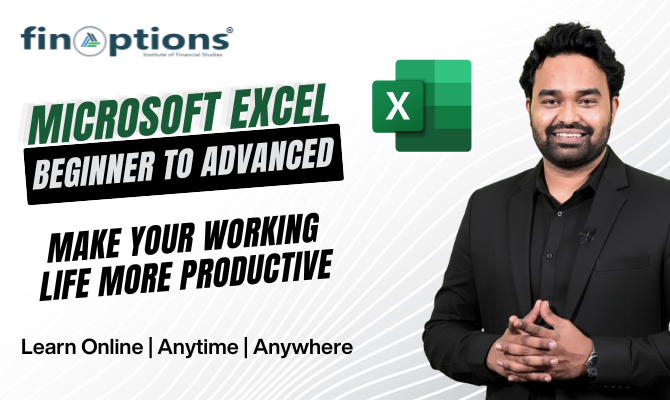
Advance Excel Training Program
Master advanced Excel for financial analysis, dashboards, reporting, automation, and smarter business decisions.

Why Learn Advanced Excel?
Time has changedExcel is one of the most widely used tools for reporting, analysis and decision-making across finance and business functions.
- ✓ Analyze large datasets
- ✓ Build professional MIS reports
- ✓ Create interactive dashboards
- ✓ Automate repetitive tasks
Advanced Excel Curriculum
- 1. Warm Up Exercise
- 2. Data Look Up
- 3. Data Analysis and Filtration
- 4. Statistical Function and Essential Formulas
- 5. MIS Reporting -Pivot Table | Subtotal
- 6. What If & Sensitivity Analysis
- 7. Dashboard Techniques
- 8. Creating Special Charts
- 9. Data | Time Functions
- 10. Macros
- 11. Financial Mathematics Through Excel
- 12. Data Cleanup & Extraction


Learn Excel the Way Businesses Use It
📊 MIS Reporting
Create management reports from raw datasets.
💰 Financial Analysis
Use Excel for practical financial calculations.
📈 Dashboard Creation
Convert business data into visual dashboards.
⚙️ Automation
Understand how Macros can reduce repetitive work.
Who Is This Curse For...?
Designed For
🎓 UG & PG Students
💼 Working Professionals
📊 MIS Executives
📚 CA & CS
🎯 MBA Students
⚙️ Engineers
📈 Finance & Business Professionals
Whether you’re starting your career or upgrading your professional skills, this workshop helps you use Excel more efficiently in real-world situations.
Course Details
Workshop Details
| Duration | 2 Days |
| Training Hours | 16 Hours |
| Training Type | Practical Workshop |
| Excel Versions | 2007–2021 |
| Training Mode | As per batch availability |
| Laptop | Participants should bring their own |
Tools & Skills You’ll Work With
- Excel
- Pivot Tables
- Charts
- Dashboards
- Formulas
- Macros
- Data Analysis
- MIS Reporting
For : U/G & P/G Students, Professionals, MIS Executives, CA, CS, Engineers, MBA
Duration: 2 days Workshop of 16 Hours
Key Learning: Understanding Adv. Excel Tools, Analyze Data, Prepare MIS Report
Note: 100% practical case studies | Embedded Tips-n-Tricks | Excel Version 2007 / 2010 / 2013 / 2016 / 2019 / 2021 Certified Trainers with extensive industry experience kindly bring your laptop along with you